Thank you for your purchase!
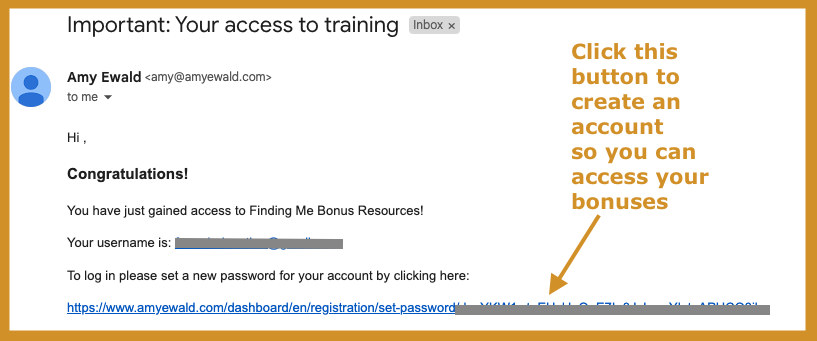
Next up: Check the email that has been sent to your inbox for access to your bonus resources!
Please check your inbox to find all the information about your resources.
You will receive an email like this (see image below) which will give you the access to all your materials.
Please go there now to find it (and check your spam/trash folder too just in case!).
TIP: HOW TO UPLOAD THE ePUB INTO YOUR KINDLE DEVICE/APP:
OPTION 1: USING YOUR ELECTRONIC DEVICE
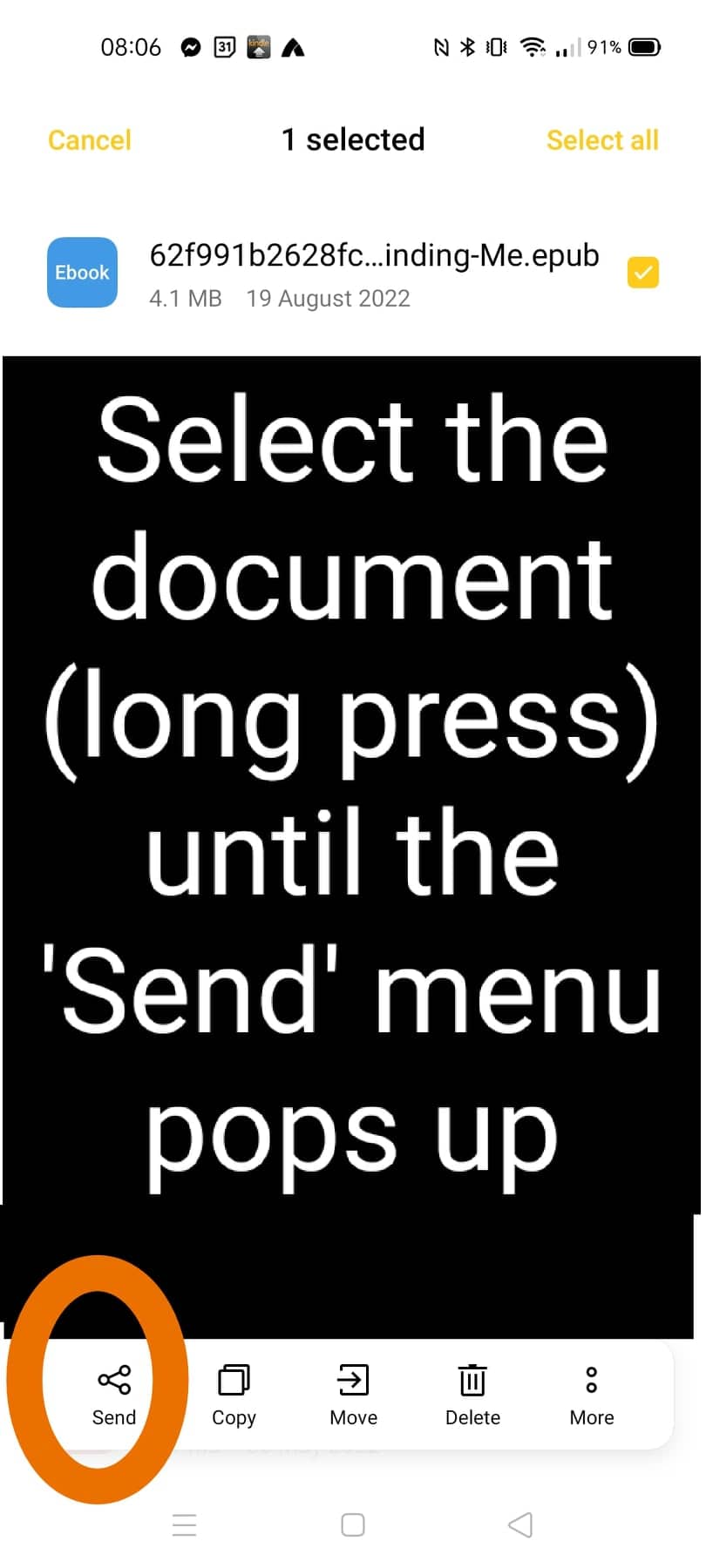
Step 1: Download the ePUB file onto your phone or tablet (your electronic reading device with a Kindle app)
Step 2: Select the file to 'Send' it (refer to image below)
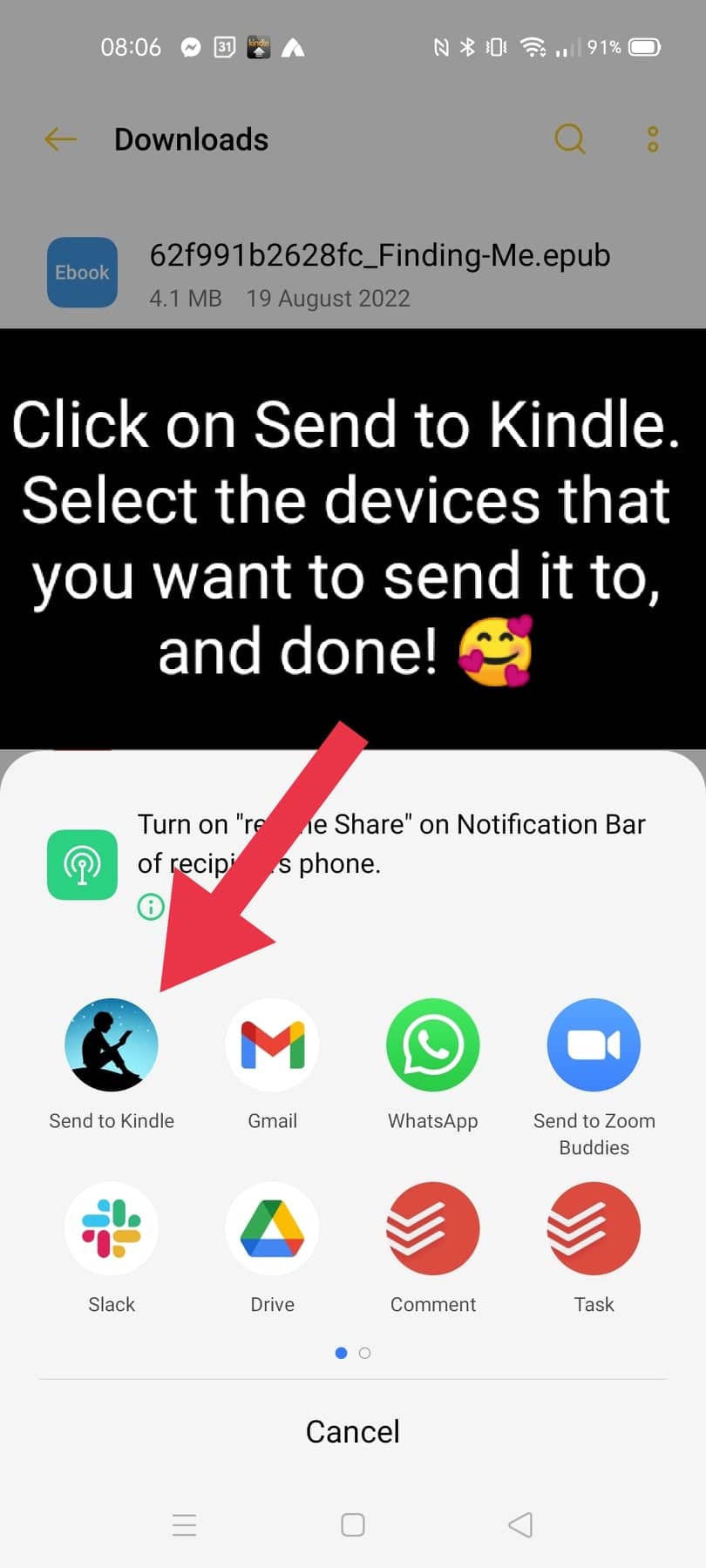
Step 3: Tap on 'Send to Kindle', select the devices you want to send it to, and you're done! Enjoy!!
OPTION 2: Using your Amazon account
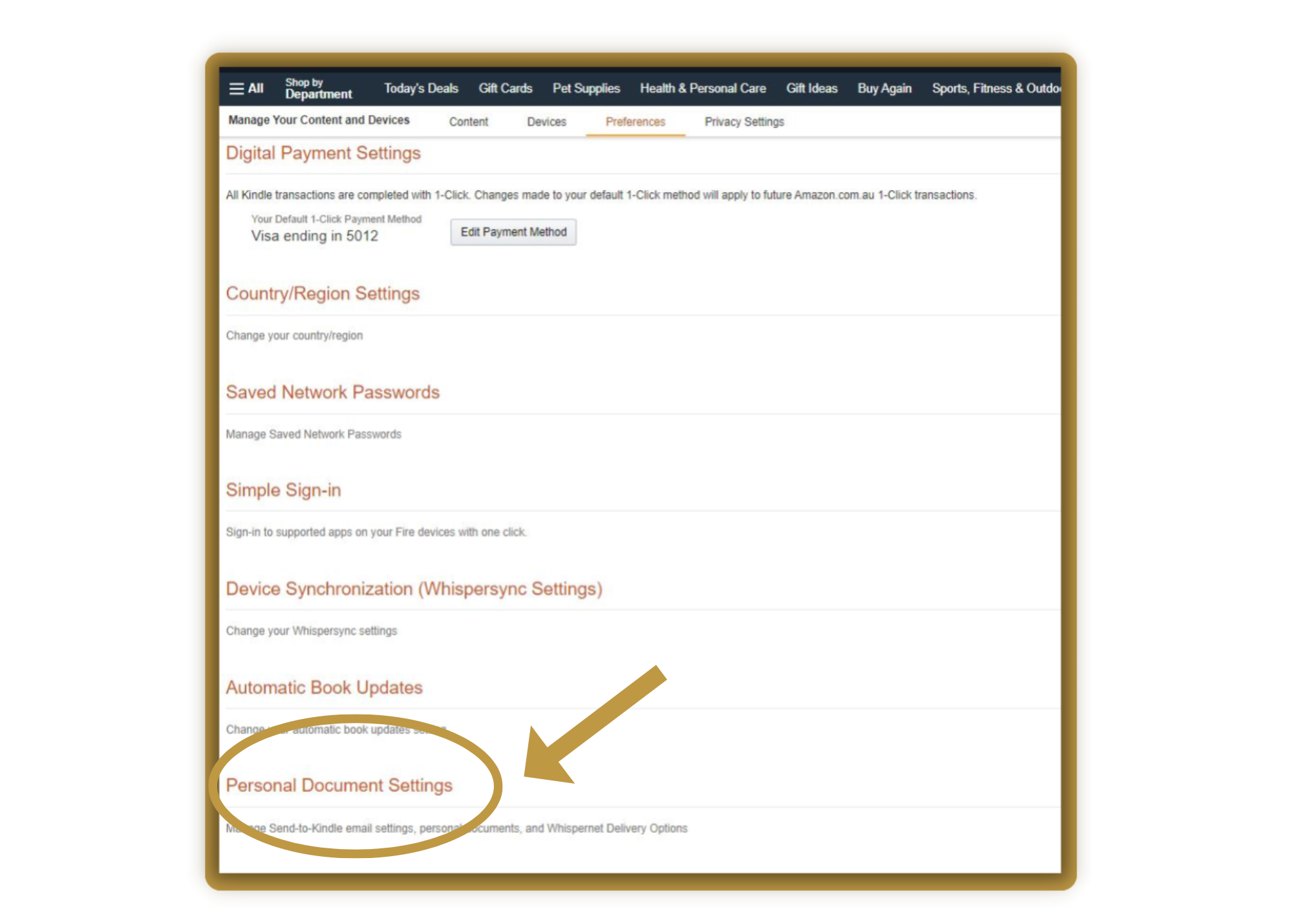
Step 1: Add your email address as an 'Approved Personal Document E-mail'. You can find this setting in your Amazon account under Account & Lists > Manage Your Content and Devices > Personal Document Settings > Approved Personal Document E-mail List > Add a new approved e-mail address
Step 2: Go to Account & Lists > Manage Your Content and Devices > Personal Document Settings > Send-to-Kindle E-Mail Settings. Look up the email address of the device you want to send the book to. Send the ePUB file as an attachment from the email address in Step 1.
Step 3: Send the email, wait a few minutes and sync your app/device. Your book should be in your library! 😍 ENJOY!!